
Automat IoT Cloud
Your beverage operation. Connected. Visible. In control.
Supported Automat machines report what they brew and dispense to Automat IoT Cloud, where operations teams and pantry staff can see status, consumption and refill needs. Connectivity and cloud capability depend on the machine and configuration, and are not available across the whole Automat range.
Log in to IoT Cloud

Machine
A supported machine records each brew and dispense as it happens.
Automat IoT Cloud
Events are collected and aggregated against the site, floor and pantry the machine belongs to.
Operations
Managers and pantry staff work from the same data, each in the view that suits them.
Automat machine photography and Automat IoT Cloud interface. Customer, site, machine and personal identifiers have been removed from every interface image on this page.
01 — Connected machines
The connected layer is a machine capability, not a blanket one.
Connectivity is specified per machine and per configuration. Where it is available it is often an option rather than a default, so it is confirmed for each deployment.
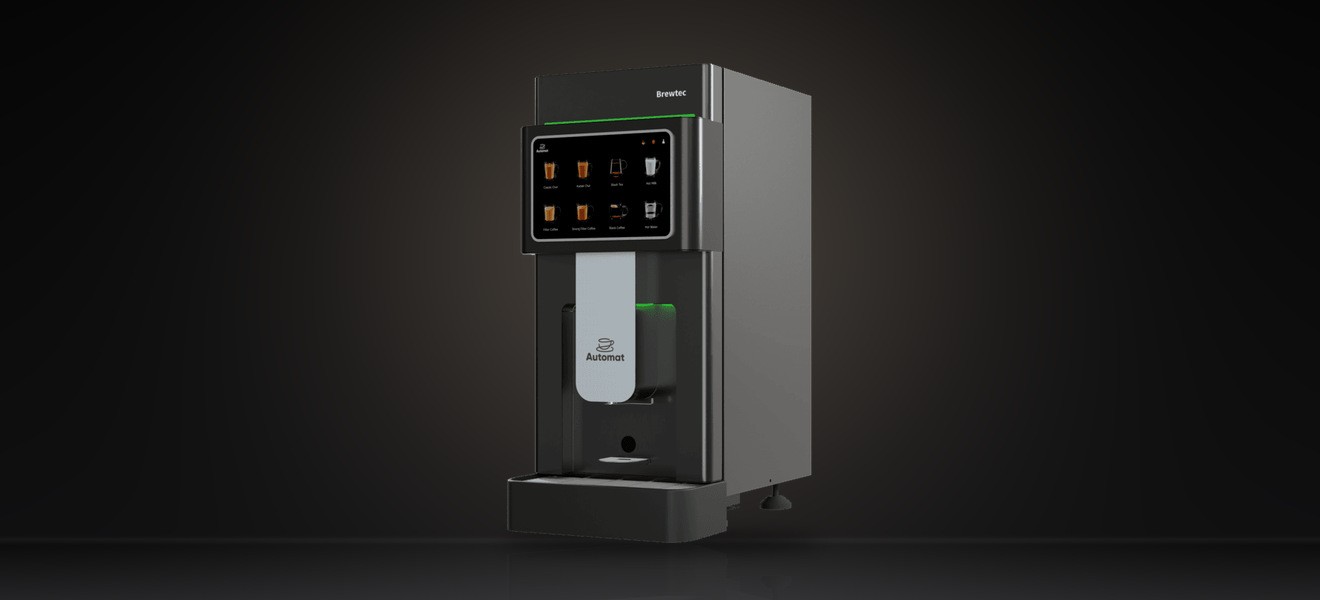
Brewtec
Wi-Fi and 4G connectivity are documented for Brewtec, and a Brewtec unit is the machine shown reporting into the interface examples on this page.
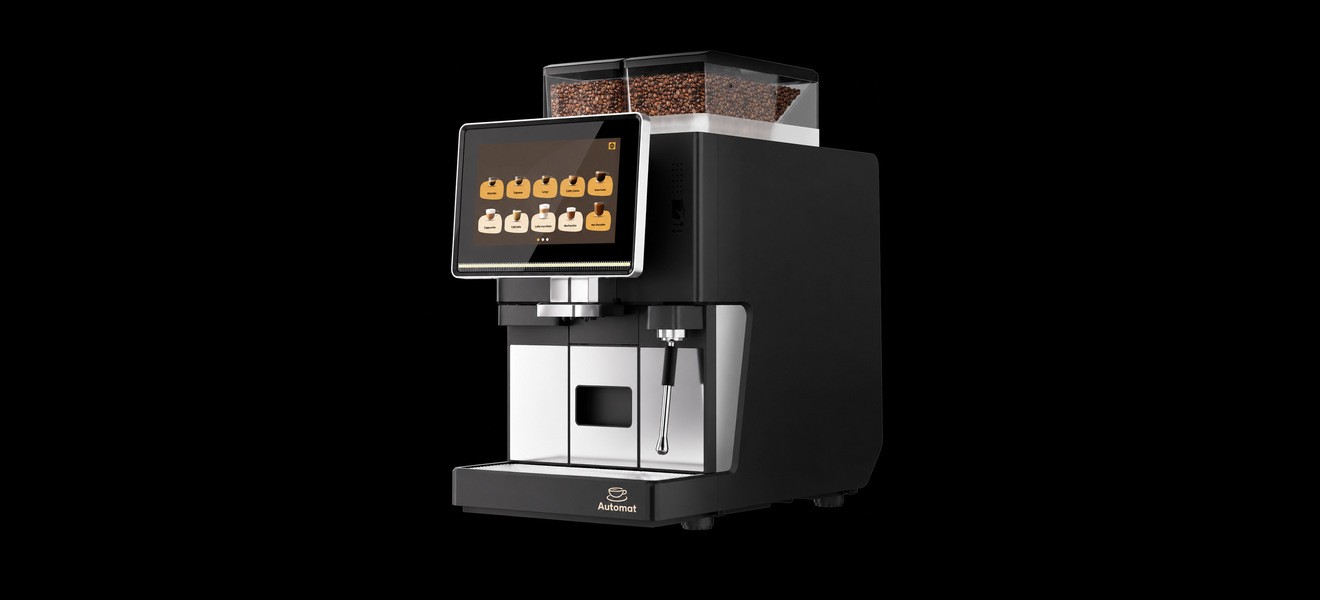
O Series
IoT connectivity available as an option.
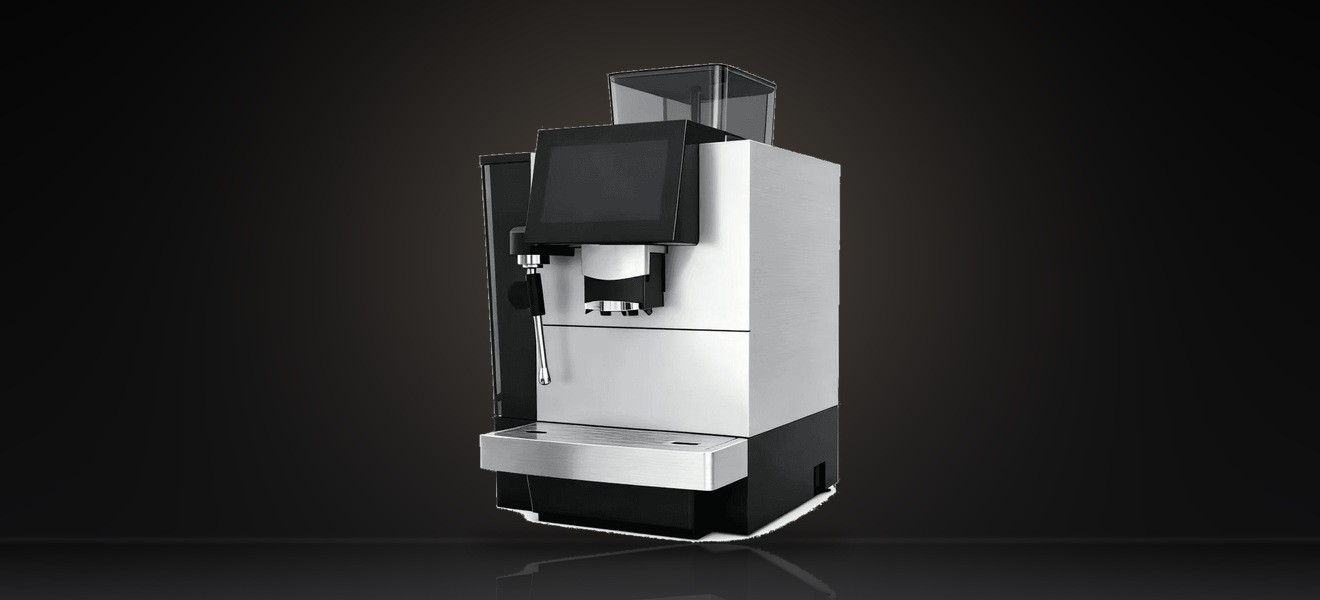
E60 Pro
IoT connectivity available as an option.
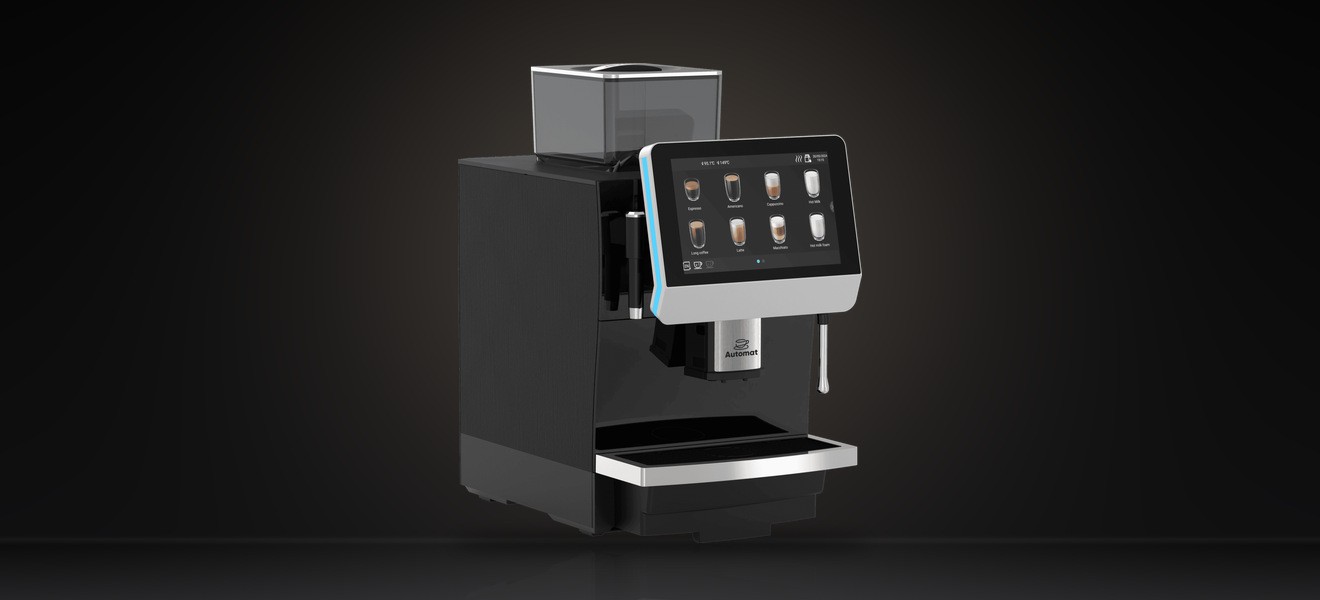
AT31B
Optional IoT connectivity via Wi-Fi or 4G.
Other Automat machines document optional connectivity at varying levels, and some document none at all. Compact and household machines use a separate mobile app rather than this platform. We confirm what a specific machine and configuration supports before any deployment.
02 — One cloud, three views
The same operation, seen three ways.
Management, pantry staff and service teams work from one Automat IoT Cloud. These are operational views of a single platform, not separate products.
01
Management
Fleet and machine status, dispense and brew counts, beverage-wise distribution, inventory, and filtering by customer, machine, consumable and date range.
02
Pantry staff
Assigned machines, tea, coffee and milk levels, low-liquor visibility, the refill workflow, offline and error visibility, and machines ordered by operational priority.
03
Service and field engineers
Complaints, maintenance and service assignment, and engineer roles within the same platform.
03 — Fleet and machine visibility
What is deployed, and what needs attention.
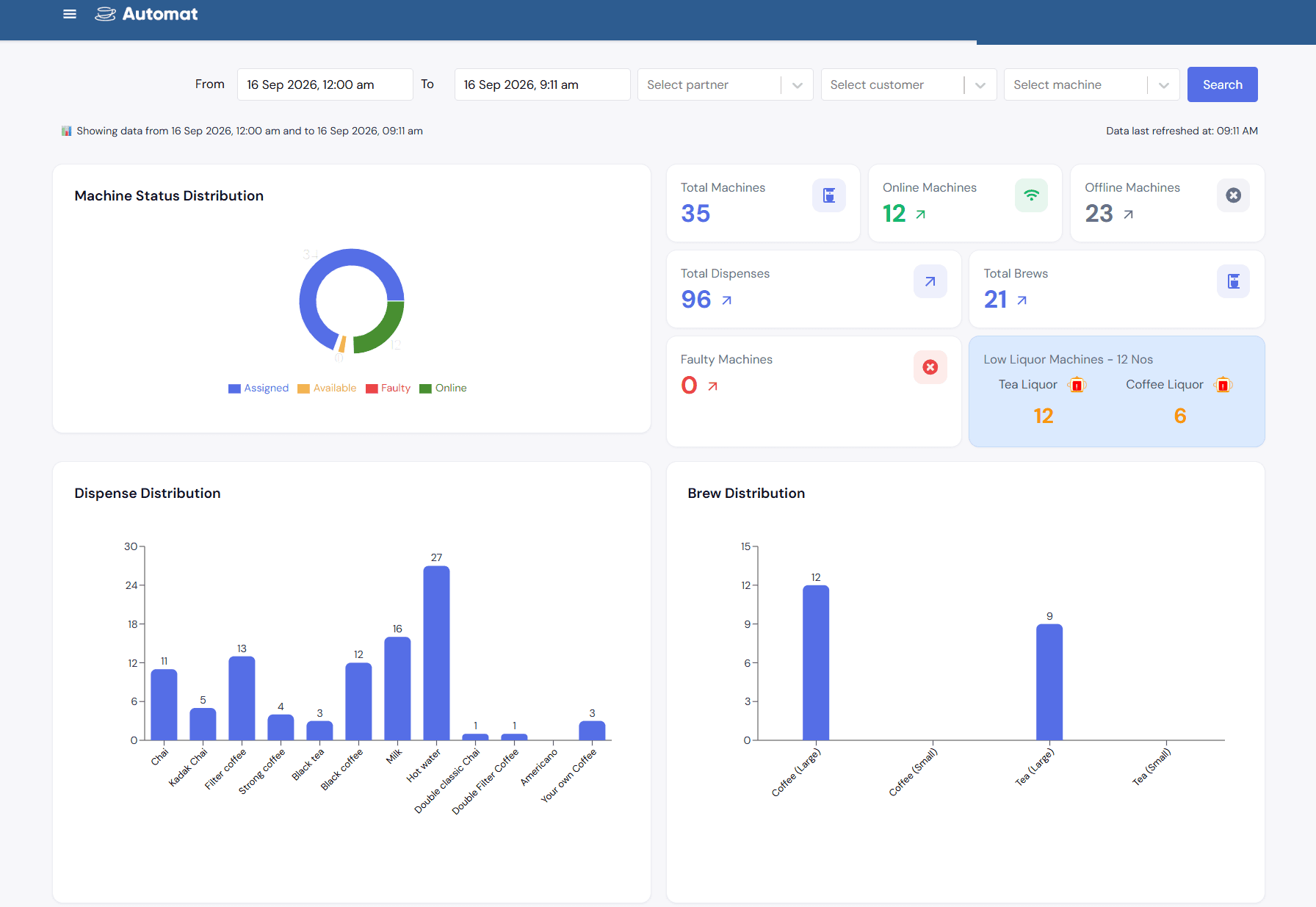
Machines are counted by status across the estate, with dispense and brew totals for the selected period.
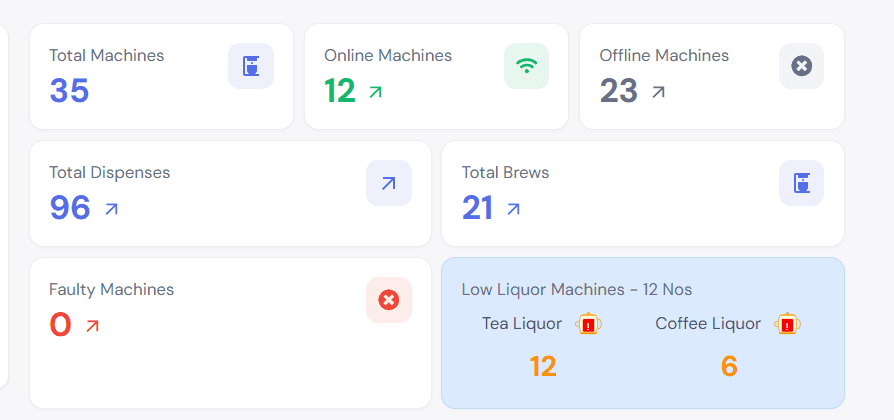
Automat IoT Cloud, fleet summary. A scheduled check every five minutes flags machines that have stopped reporting, so status reflects the most recent check rather than a continuous live feed.
04 — Consumption and beverage distribution
Which drinks are actually being made.
Dispense and brew activity is broken down by beverage and by machine, over a chosen period.
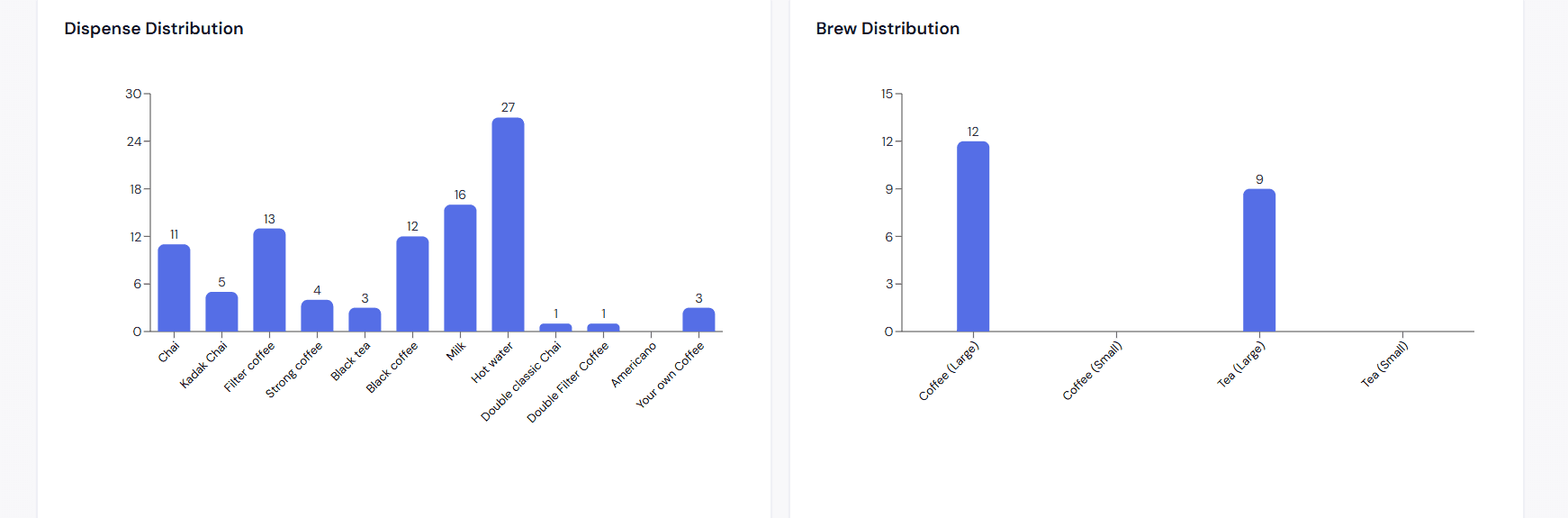
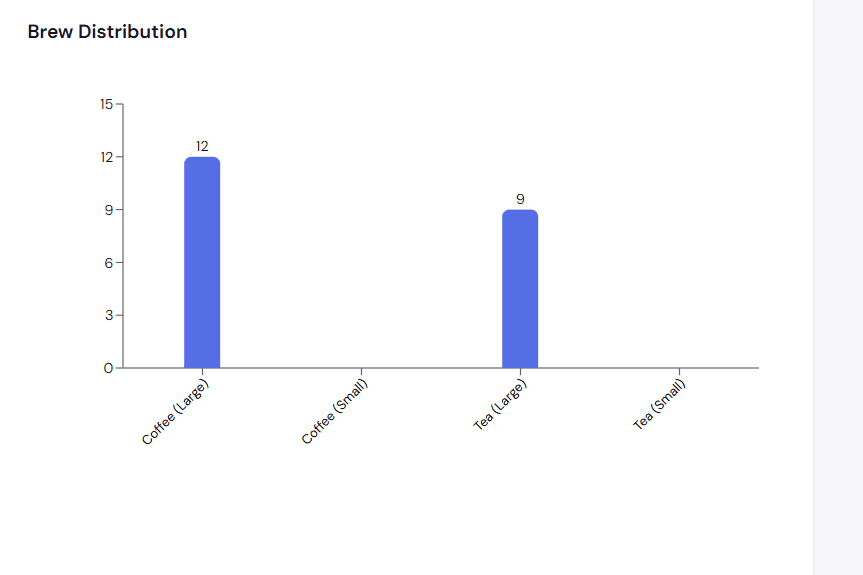
Automat IoT Cloud, dispense and brew distribution by beverage.
05 — Ingredient and refill
Tea, coffee and milk levels, and what to refill.
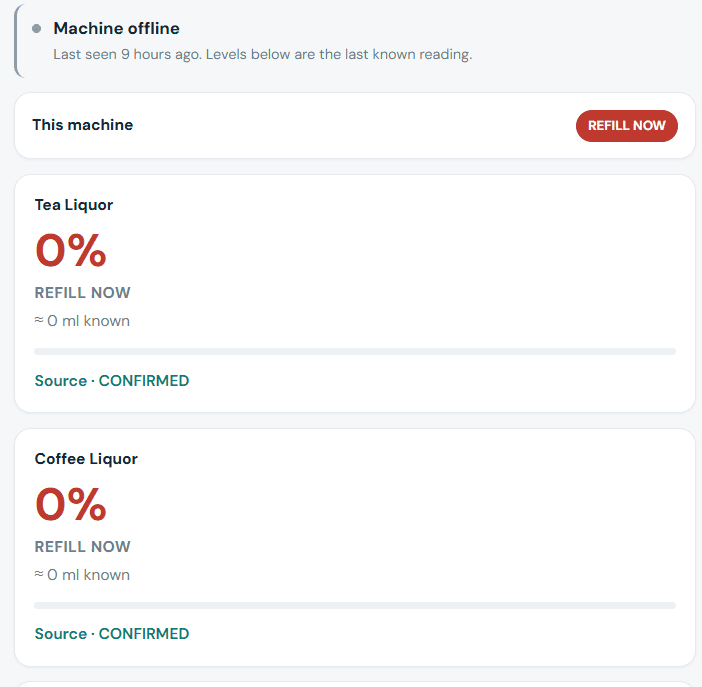
Levels are reported per machine with a refill action for pantry staff. When a machine has stopped reporting, the interface says so and labels the levels as the last known reading rather than presenting them as current.

Automat IoT Cloud machine view, showing the offline notice and the last known liquor levels.
06 — Pantry operations
Built for the person actually refilling the machine.
Pantry staff see only the machines assigned to them, ordered so the most urgent appears first. Machines are identified by pantry, floor and site rather than by serial number.

Automat IoT Cloud pantry staff app, daily summary.
07 — Inventory and supply
Stock measured against what was actually consumed.
Stock on hand rises when a delivery is received and falls against consumption measured from machine events, with recommended orders and deliveries awaiting receipt alongside.

Automat IoT Cloud, inventory summary.
08 — Maintenance and service
Complaints, service records and engineers in one place.
The platform holds complaints, maintenance and service assignment, and engineer roles alongside the machine records they relate to, so service history sits with the machine rather than in a separate system.
Complaints
Site and customer complaints are recorded against the machine they concern.
Maintenance
Machine assignment and service records are held in the platform.
Engineers
Engineers are users of the same platform, working from the same machine records.
09 — Filtering and date-range views
Narrow the estate down to the question you are asking.
Views can be filtered by customer, by machine, by consumable and by date range, so the same data answers an estate-wide question or a single-machine one.

Automat IoT Cloud, filtered operational view.
Discuss a connected beverage deployment.
Tell us how your operation runs and which sites you need visibility across, and we will confirm what your machines and configuration support.
Talk to Automat